If you own a desktop 3D printer, you’re almost certainly familiar with Slic3r. Even if the name doesn’t ring a bell, there’s an excellent chance that a program you’ve used to convert STLs into the G-code your printer can understand was using Slic3r behind the scenes in some capacity. While there have been the occasional challengers, Slic3r has remained one of the most widely used open source slicers for the better part of a decade. While some might argue that proprietary slicers have pulled ahead in some respects, it’s hard to beat free.

So when Josef Prusa announced his team’s fork of Slic3r back in 2016, it wasn’t exactly a shock. The company wanted to offer a slicer optimized for their line of 3D printers, and being big proponents of open source, it made sense they would lean heavily on what was already available in the community. The result was the aptly named “Slic3r Prusa Edition”, or as it came to be known, Slic3r PE.
Ostensibly the fork enabled Prusa to fine tune print parameters for their particular machines and implement support for products such as their Multi-Material Upgrade, but it didn’t take long for Prusa’s developers to start fixing and improving core Slic3r functionality. As both projects were released under the GNU Affero General Public License v3.0, any and all of these improvements could be backported to the original Slic3r; but doing so would take considerable time and effort, something that’s always in short supply with community developed projects.
Since Slic3r PE still produced standard G-code that any 3D printer could use, soon people started using it with their non-Prusa printers simply because it had more features. But this served only to further blur the line between the two projects, especially for new users. When issues arose, it could be hard to determine who should take responsibility for it. All the while, the gap between the two projects continued to widen.
With a new release on the horizon that promised to bring massive changes to Slic3r PE, Josef Prusa decided things had reached a tipping point. In a recent blog post, he announced that as of version 2.0, their slicer would henceforth be known as PrusaSlicer. Let’s take a look at this new slicer, and find out what it took to finally separate these two projects.
Revamped User Experience
The interface for Slic3r, and by extension Slic3r PE, wasn’t exactly the high water mark in terms of design. It was certainly functional enough, but it was never designed to be pretty. Since Prusa is in the business of selling relatively high-end 3D printers, it’s not hard to see how the spartan look of Slic3r could be a bit of a problem.
So it’s little surprise that the biggest user-facing change in PrusaSlicer is a completely new interface. It’s familiar to long time Slic3r users, but at the same time has a much more modern feel. There’s a greater focus on performing common tasks with vector icons inside the 3D preview view rather than having to dig down into menus to find them. The side panel now has a tabbed layout which allows the user to select how many options they want to see depending on their skill level. In general, PrusaSlicer is now a bit reminiscent of Ultimaker’s Cura slicer; which seems fitting considering both companies are trying to develop easy to use (and support) slicers for their customers.
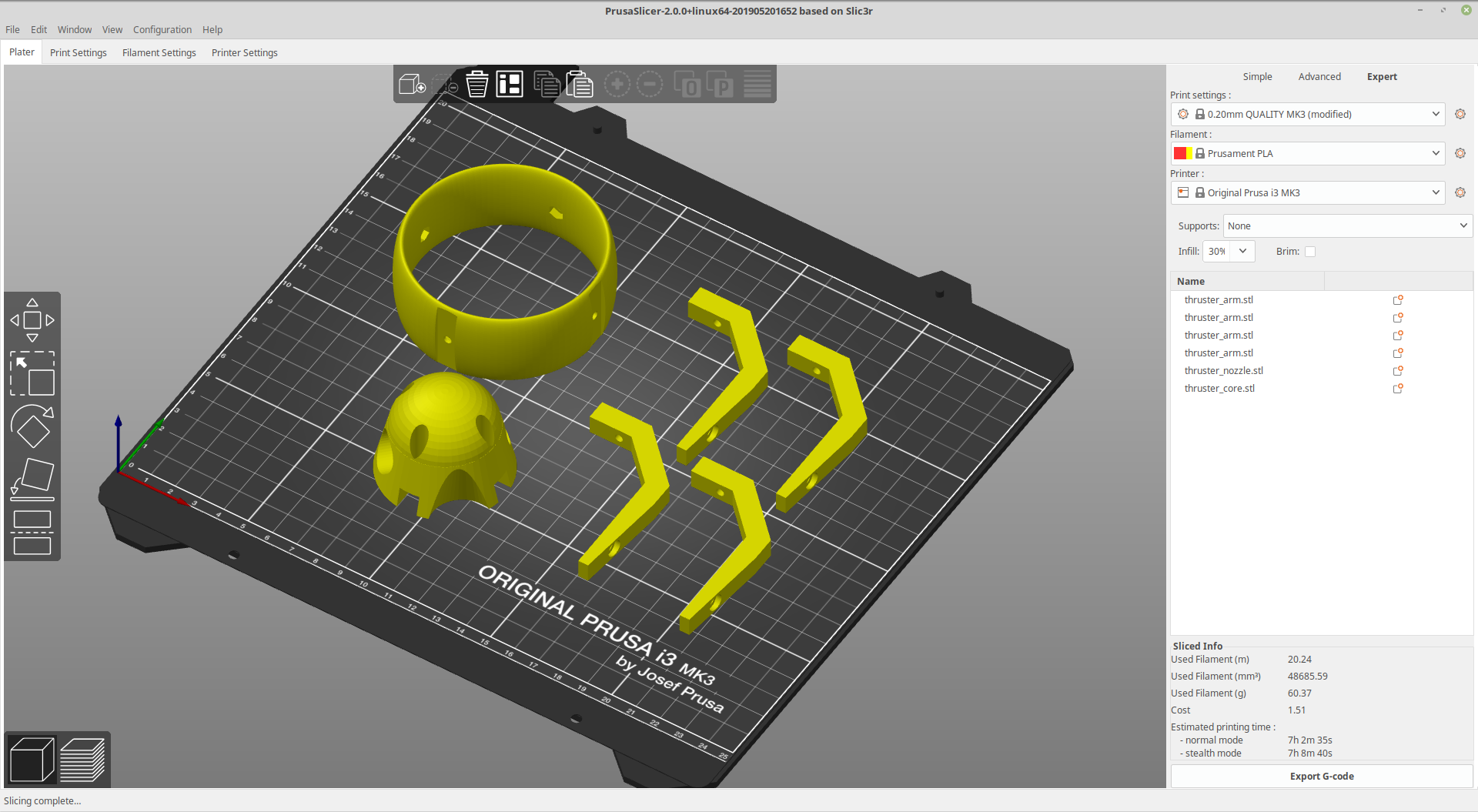
For long-time Slic3r PE users who might think the new look of PrusaSlicer is just a coat of fresh paint, there are plenty of usability improvements and tweaks you’ll notice while using the new software. For instance, the real-time estimate of print time and cost is a huge improvement over previous versions where you had to slice and export before you’d get that information.
A New Approach to Supports
For models with complex geometry, printing support structures is something of a necessary evil. Automatic support generation is a standard feature in every slicer out there, but on some models, it can get confused and produce sub-optimal results. Over the last couple of years, proprietary slicers like Simplify3D have tried to address this by implementing custom support structures that the user can place wherever they want.
The PrusaSlicer approach is something of a middle-ground. Supports are still generated automatically, but the user can easily mask out areas where they don’t want supports to be generated. Alternately, you have the ability to disable automatic support generation except for within specifically designated areas.


In this example, you can see how the automatic support generation would fill the inside of the part with unnecessary and difficult to remove support structures; wasting plastic and making part cleanup harder than it should be. But by designating a specific zone in which support structures should be generated, this issue can be avoided.
Make no mistake, you can get yourself in trouble easily with this function if you’re not fully tuned in to the strengths and weaknesses of your printer. But that’s often the price to pay for this sort of fine-grained control.
The Power of Light
With the announcement of their SLA printer last year, Prusa found themselves in need of a slicer that could support this vastly different 3D printing technology. Rather than create a second slicer, they decided to start implementing support for light-based 3D printers directly into what was then still Slic3r PE. Since most of that work happened in the alpha and beta builds of Slic3r PE, PrusaSlicer represents the first time a large portion of this SLA capability has been available in a stable release.
In fact, Josef Prusa claims that upon its release PrusaSlicer immediately became the most polished and complete open source SLA slicer available. That seems a bold claim, but we have to admit we haven’t seen many entries into that particular niche to compare it against. Homebrew SLA printers are far less common than their FDM counterparts, but with the cost of the principle components coming down and now an arms-race in terms of the open source tools to drive them, perhaps that will soon change.
In with the New, Out with the Old
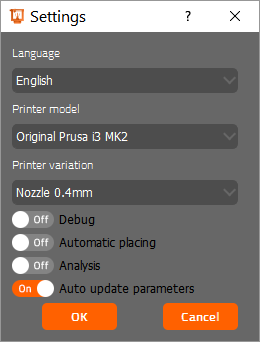
While the core of Slic3r was written in C++, the high-level components including the user interface were done in Perl. According to Josef Prusa, this combination has proven to be a challenge to maintain over the years. Citing difficulty in finding contributors who are well versed in the language, as well as compatibility issues with the wxWidgets user interface library, the decision was made to start rewriting these legacy Perl components in C++.
On the whole this transition has been smooth, but at least one feature did end up on the chopping block because of it: USB printing. If you prefer to keep your printer physically tethered to the computer, you’ll need to stick with Slic3r PE for now. Currently, PrusaSlicer will only generate the G-code. You need to get it onto your printer with something like Printrun, via SD card, or have OctoPrint setup so you can do it over the network.
Your USB cable isn’t the only thing being put out to pasture with the release PrusaSlicer. Not long after creating Slic3r PE, Prusa started work on something of a “Plan B” slicer: PrusaControl. Believing that current slicers were too complex for beginners, PrusaControl was positioned as a bare-bones tool that would get you printing with as little hassle as possible. But with the ability to adjust the interface of PrusaSlicer depending on the user’s skill level, the decision has been made to officially abandon PrusaControl.
Looking Ahead
While PrusaSlicer has a new name and a long list of improvements, at its core it still runs on Slic3r. Just as importantly, it’s still released under the same open source license. That means that anyone is free to try their hand at porting over these new features to vanilla Slic3r if they were so inclined. It might be more difficult now that Prusa is on a mission to rid the codebase of Perl, but it’s certainly not impossible. On the flip side, Josef Prusa says his team has every intention of merging in upstream Slic3r fixes and changes, so long as they make sense to include in PrusaSlicer.

In the long run, this move should end up benefiting Slic3r developers as much as it does anyone at Prusa. For one, the name change should keep them from getting hounded with bug reports that don’t apply to their code. In time, they may even find that with Prusa leading the charge on the user interface side of things, they can focus their efforts on improving the core slicing engine.
One thing is for certain: this is how open source is supposed to work. A successful company taking an open source project, adding their own resources and talent to it, and spinning it off into a new open source project is something worth celebrating. We can argue about the semantics of the name change, and the potential fracturing of the userbase, but in the end the code is out there and the community as a whole stands to benefit no matter who’s name is on the top of the page.