Linux! Such a wonderful, rich, capable operating system has blessed us, and all for the low, low cost of absolutely free. It’s under the hood of countless servers, computers, phones, and embedded devices, and is the go-to solution for when you want to get the job done right. Why, then, does it curse me so?
Prologue

My experience with the almighty penguin stretches back to the late 90s. Facebook hadn’t been invented yet, so most weekends were spent installing whatever came on the front of the latest computer mags. I wish I was kidding, but I’m really not.
Way back when, us kids would load the latest Red Hat or Fedora distribution onto our hand-me-down Pentium IIs, trying not to accidentally wipe our hard drive in the process. Limited to dial-up internet and very few help resources, it was pretty common that you’d spend hours watching progress bars tick over, only to wind up with no working mouse, or an X server that simply refused to start for man or God. Did I mention we did all this for fun?
Trying To Get Some Work Done
Of course, after growing up, real life and real responsibilities take over. Now, if I’m using Linux, it’s because I’ve got a job to do, not just because there’s nothing good to watch on Cartoon Network this weekend. I consider myself to be a fairly intermediate user. I’ve compiled a few things successfully, understood how to work with a variety of package managers, and once, just once, even managed to connect to a wireless network from the command line. There’s not a whole lot that phases me in this realm anymore.
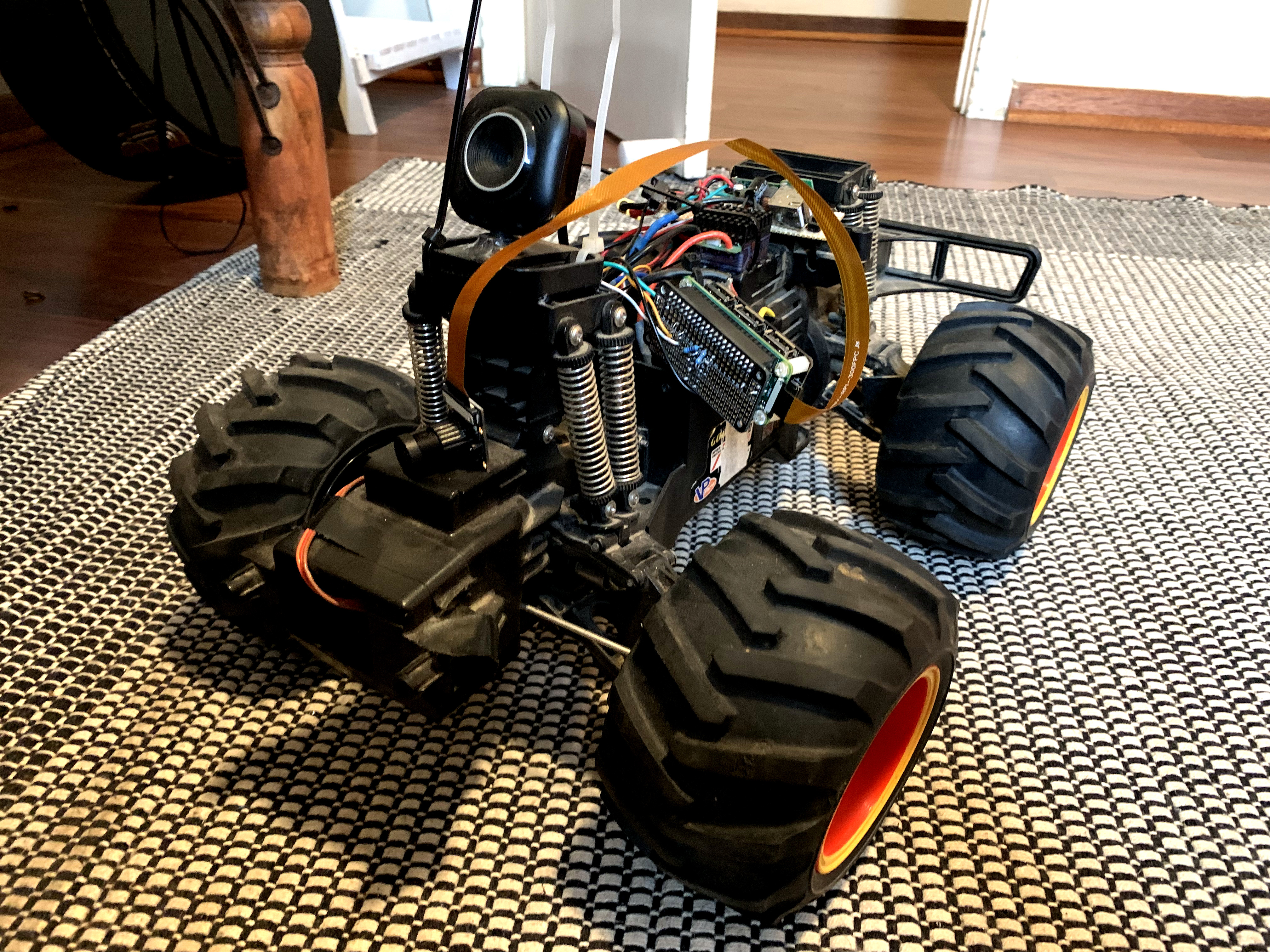
For the past few years, I’ve been slowly working on a little rover by the name of TKIRV, powered by a Raspberry Pi. It was overdue for a camera upgrade, as I’d been using an old Microsoft webcam for far too long. I ordered a nice 1080p Raspberry Pi camera, and naturally the parts marinated in their boxes for a good couple of years. Finally, after much procrastination, I was eager to get my wheely boi back out on the road.
This was but the beginning my weekend slaying embedded Linux dragons.
Reconfiguring a Fresh Install
I sat down, and was pleased to see everything fire up without too much trouble. I’d left passwords on their defaults, and went through the process of reconfiguring the Raspberry Pi to connect to the WiFi, because I move house approximately every 10 months. I unpacked the camera, slotted in the flat flex cables, and… nothing! Not being prone to panic, I calmly began troubleshooting the problem.
Ah, there’s a tool required to enable the camera. raspi-config… that should sort me out.
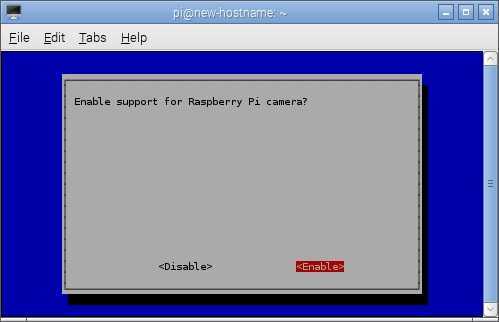
I was upbeat, eager to see my lab in crisp high definition with my rover’s new camera. Despite my efforts, the camera remained inoperable. My brow furrowed as I studiously pored over a widening net of forum posts. In these situations, many recommend a little housekeeping to tidy things up. With a few keystrokes, I instructed the package manager to both update… and upgrade. How foolish I was.
First Signs of Trouble
After the package manager finished, I decided to reboot, as is the custom. Upon starting, I was greeted with a login prompt. This would normally not be cause for alarm, but my Pi was specifically configured not to do this. “Never mind,” I muttered, as my eyebrow twitched, sweat beading on my forehead. I tapped in my login credentials and prepared to…
…the login screen reappeared. I blinked. A typo, surely. Again. And again. I triple checked the default credentials, and yet I continued to fail. The screen would blank, and return me back to the login prompt. This was utterly maddening, and I once again turned to beg the forums for aid.
I managed to beat my way back to a command line, while the desktop remained a distant oasis on the horizon. Another two hours passed, as I fruitlessly attempted to cleanse various “~/.profile” files and massage an “Xauthority” back into shape. Try as I might, nothing I could do would get me back up and running.
I had thus far avoided starting from scratch. While it’s a fairly quick job to reinstall Raspbian, I had it set up the way I like. I’d wanted to avoid this, but I was left with little choice. I downloaded the latest image, squirted it on to an 8GB SD card and took a deep breath. My trials would surely be over soon.
Of Course They Weren’t
Inserting the new SD card, I powered everything up and waited. With a Pi Zero, there are no clicks, beeps, hums, or whirrs as per the computers of old. You just stare at a little blinking LED and watch the boot sequence fly by. It’s kind of soulless, but this is the modern way. I was greeted with a functioning desktop courtesy of the X server, and allowed myself to exhale.
Cracking my fingers, I opened a terminal and resolved to get to work. It was time to begin reinstalling Python, and Gstreamer, and about fifteen other useful utilities, and there was no time to waste. Before I could do any of that, though, I needed to get online.
The original Pi Zero lacks onboard WiFi, so a USB dongle is the way to go. Normally this would be a plug and play affair, but of course, Linux wasn’t done needling me just yet. If you’re following the general theme here, I plugged it in, and it didn’t work.
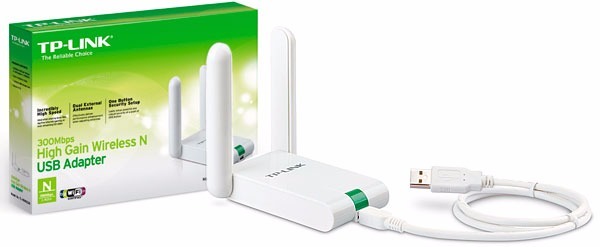
I’d chosen the TP-Link WN-822N WiFi adapter, which comes in several versions all with different hardware inside. After drilling down and figuring out I had a version 3 with a Realtek rtl8192cu chipset, I found out that Raspbian didn’t have the relevant driver installed by default.
Easy fix, right? Wrong — and very wrong, at that. See, driver installs in Linux aren’t always so easy. You’ve got to find the driver first, and then if you’re lucky, someone will have compiled it for your architecture and the precise version of the distribution you’re using. If not, things get sticky. Of course, you can always compile it yourself. This of course necessitates the use of certain tools. These can be installed quite easily, when you’re connected to the internet, that is. I, unfortunately, was not.
After further hours spent trying to find some manner of precompiled driver I could copy over on a USB drive and install, I was close to snapping. Mercifully, it turned out I could instead tether my iPhone, and get online long enough to use the package manager to install a suitable driver package for the WiFi dongle. With that, the Pi was back online and I could get back to work.
Epilogue
Unfortunately, at this point, the weekend was over. I had just enough time to install a couple packages and verify that, yes… the camera works. Nothing else does, right now — I still have another mess of utilities and libraries to reinstall, and I shudder at the thought. But the camera works, and I’m telling myself that’s enough for now.
My rover still languishes on my desk, quiet and still.
You will roll again, wheely boi, I promise you.
You will roll again.